
How does Kiraala work?
Pick your path and we'll walk you through it.
Getting started
First, verify your profile


- 1Download
- 2Sign up
- 3Verify your profileVerify
- Verified:What we verify
- Identity
- Contact
- Full address
- IBAN (owners)
A Findeks credit score or extra documents may be requested for some items and categories.
Rent an item
Explore the 8 steps you'll go through, from finding the item to returning it.
- 1
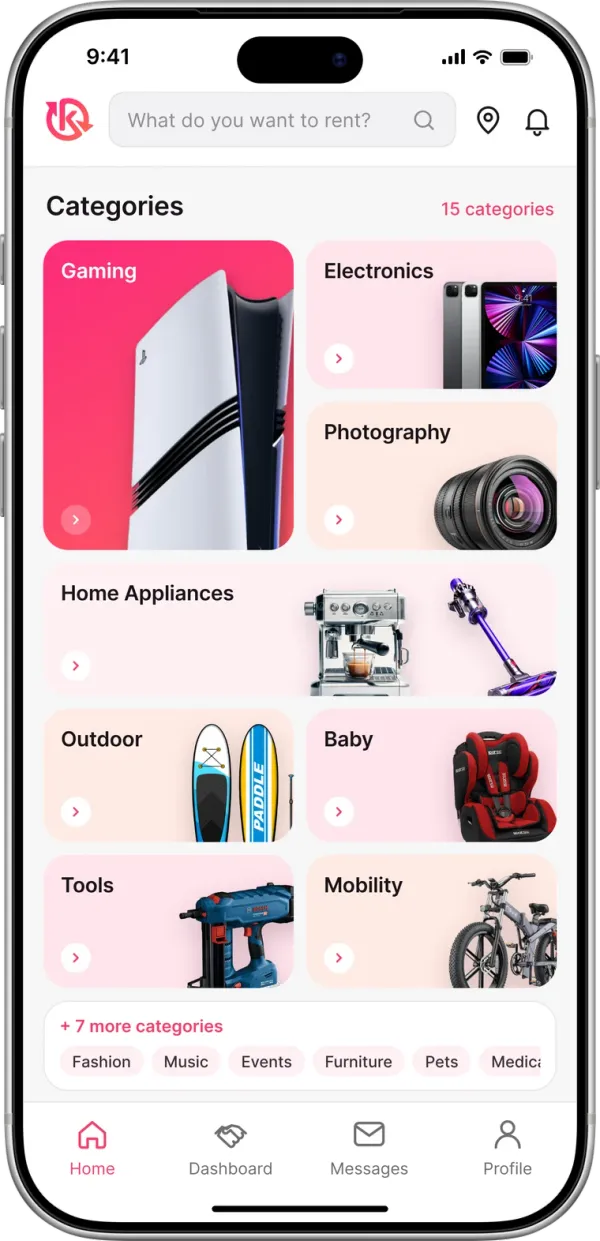
Search and discover
Filter the items you want to rent by location, category and price. On the item page, see the prices, rental terms and the owner's reviews.
Chat and ask questions
Ask the owner anything about the item. Confirm availability, delivery and return terms. When everything's clear, start the rental.
- 2
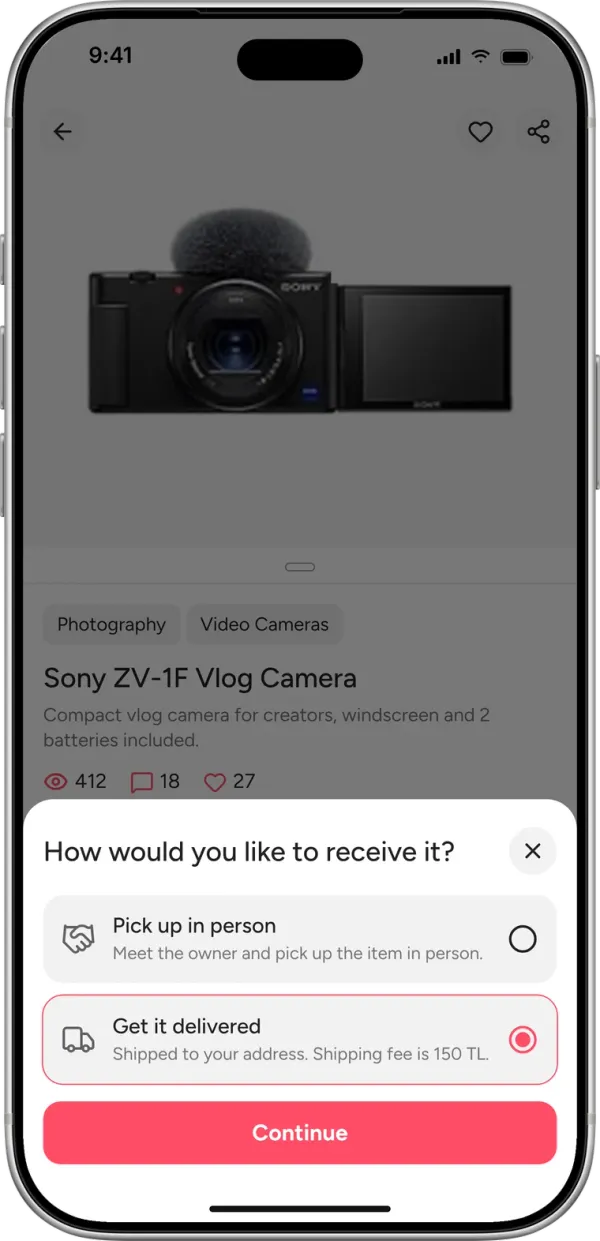
Choose a delivery method
Hand delivery
You meet the owner and pick the item up in person.
Shipping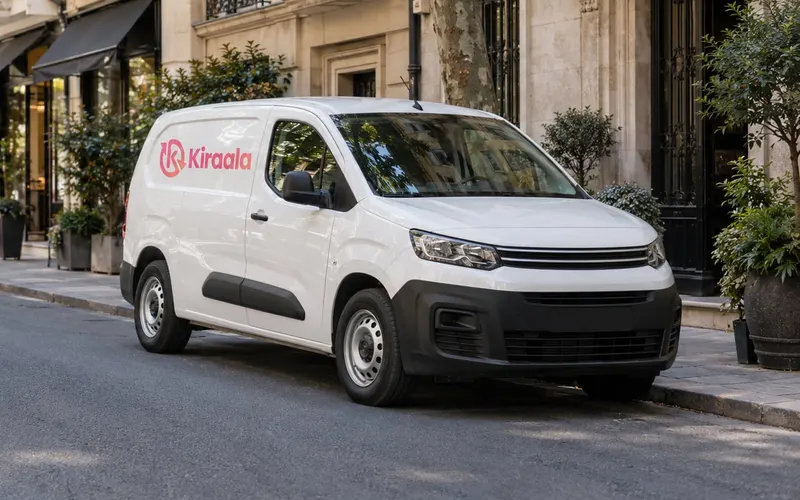
It's delivered to your address with the shipping company you choose.
- 3
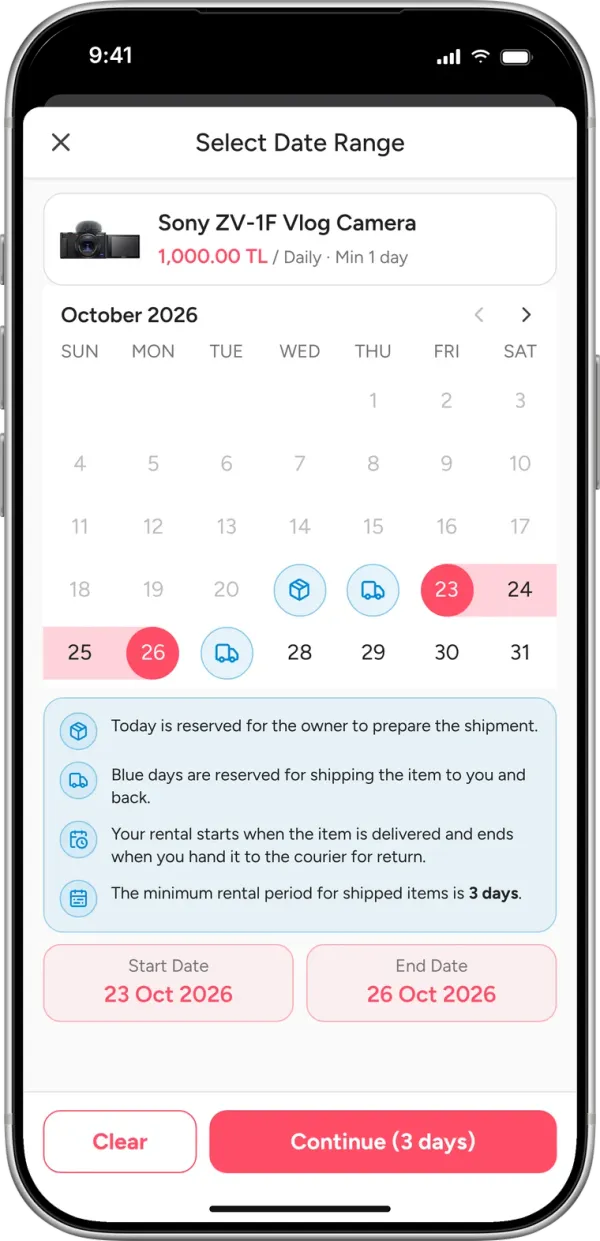
Pick dates, see the price
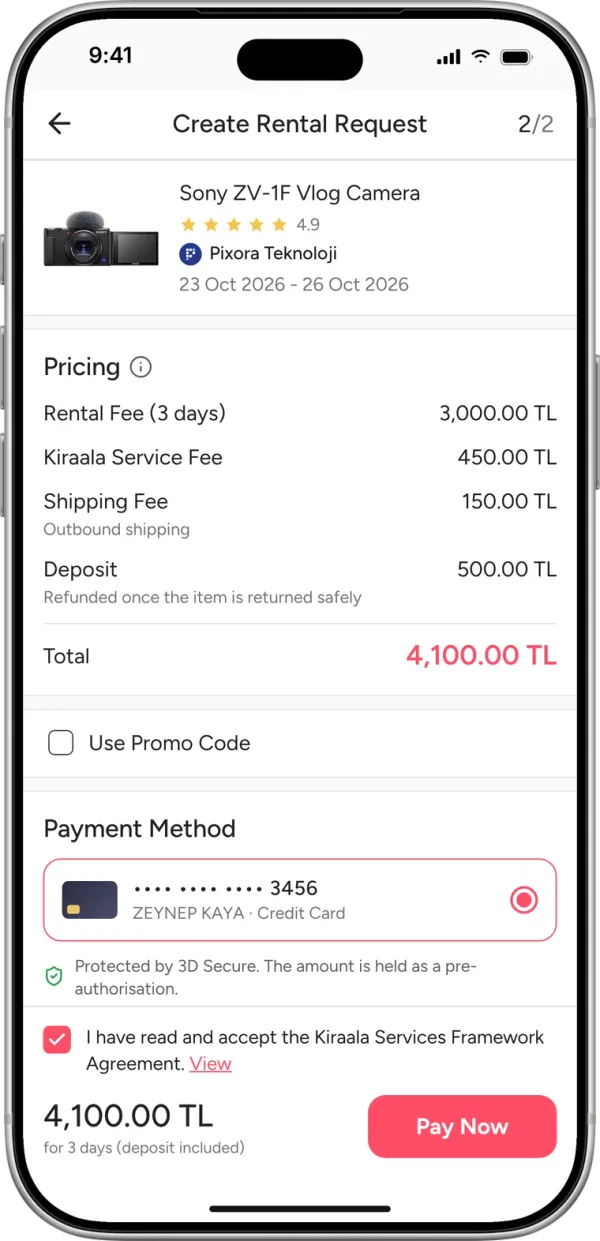
Choose your rental period on the calendar. The total is calculated from a price scale that changes with your dates: the longer you rent, the less you pay per day. The Kiraala service fee is added on top of the rental price. The deposit is held by Kiraala during the rental and refunded at the end.
With shipping, buffer days are added before and after the rental so the item can be prepared, reach you and travel back. You only pay for the days you actually use the item. The minimum rental period for shipped items is 3 days.
Example
Sony ZV-1F Vlog Camera
4.9· Pixora Teknoloji
₺1,000 / day
23–26 Oct 2026 · 3 days
Shipping- Rental (3 days)
- ₺3,000
- Kiraala service fee (15%)
- ₺450
- ShippingOutbound shipping
- ₺150
- DepositRefunded when the item comes back without issues
- ₺500
Total₺4,100Deposit included
- 4
Pay and send your request
You pay in the app by credit card with 3D Secure. What you pay is held safely by Kiraala until the rental is complete. If the owner doesn't respond or declines, you get a full refund.
- 5
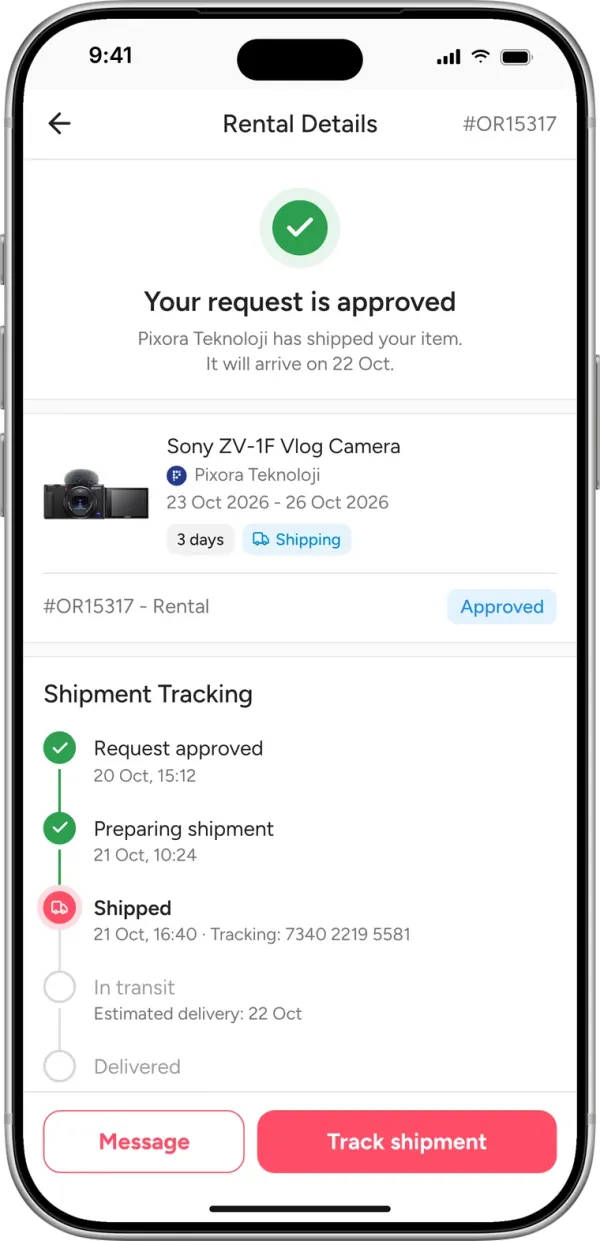
Your rental request is confirmed
Hand deliveryThe owner confirms. You agree on a meeting place and time in the in-app chat.
ShippingThe owner confirms and ships the item. You track the shipment step by step in the app and get notified at every stage.
- 6
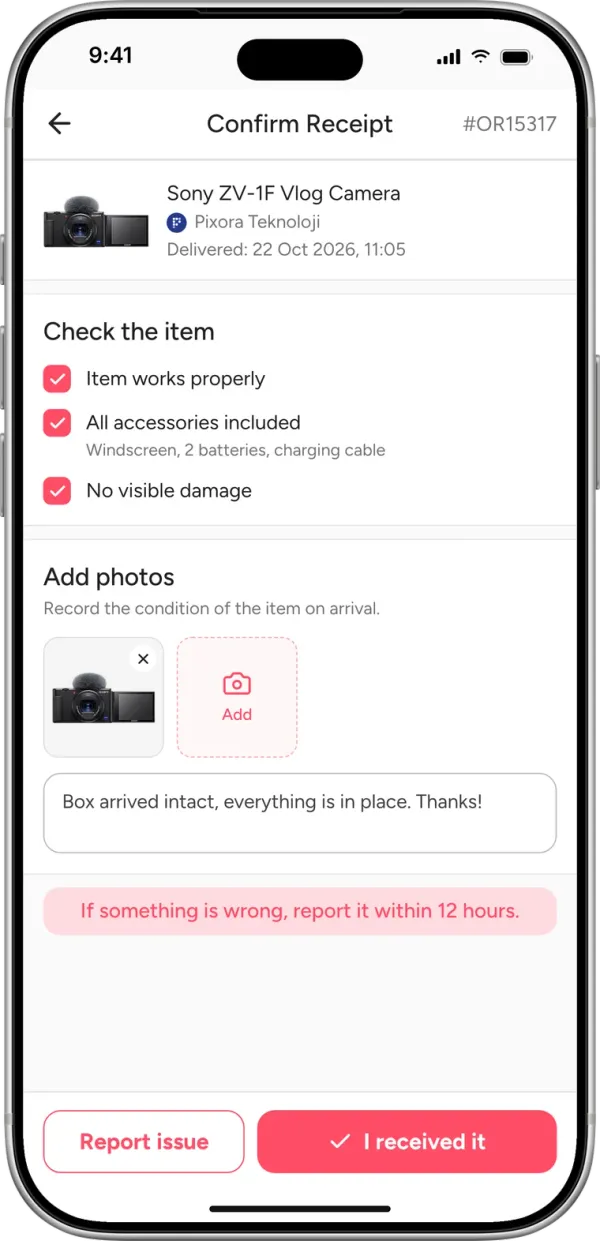
Receive the item
Hand deliveryAt the meet-up, check the item, add photos and notes, and start the rental with the QR code.
ShippingReceive the package, check the item, add photos and notes, and confirm you've received it.
Your rental starts the moment you receive the item. If something's wrong, report it within 12 hours at the latest. If you don't confirm within 12 hours of delivery, the item is considered received without issues.
- 7
Enjoy the item you rented

The moment that matters
The item is yours.Enjoy it.
Use it as long as you need. Need more? It is your call.
Extend your rentalNeed it longer? Extend it in the app.Make an offer to buyLove it? Send the owner an offer.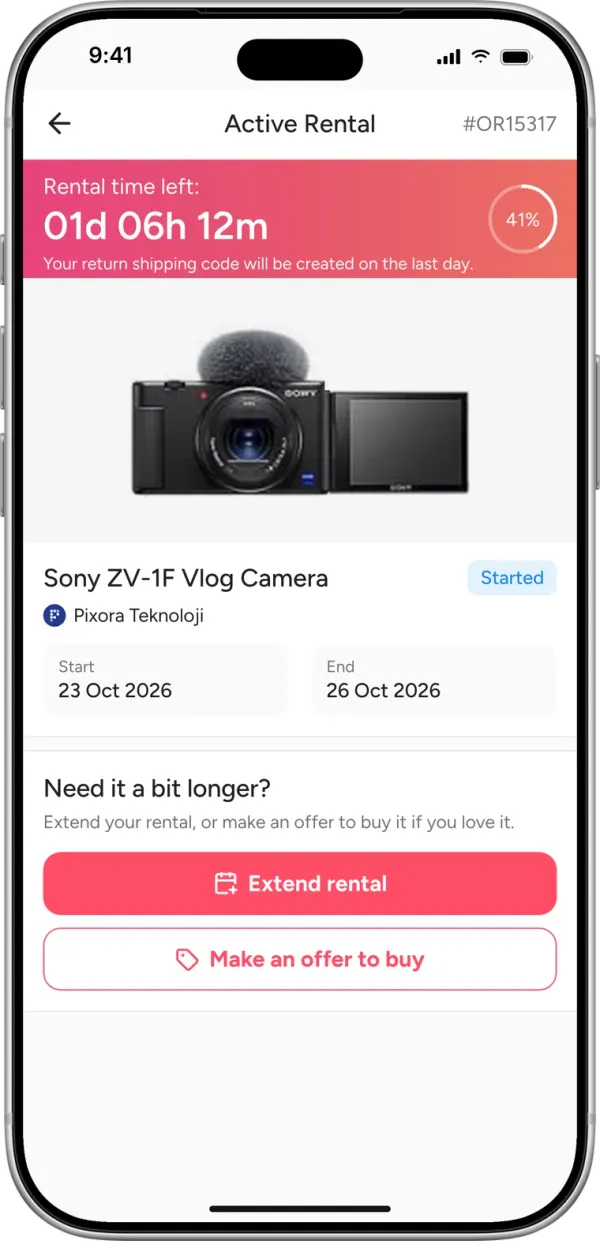
- 8
Return and review
Hand deliveryHand the item back to the owner and end the rental with the QR code.
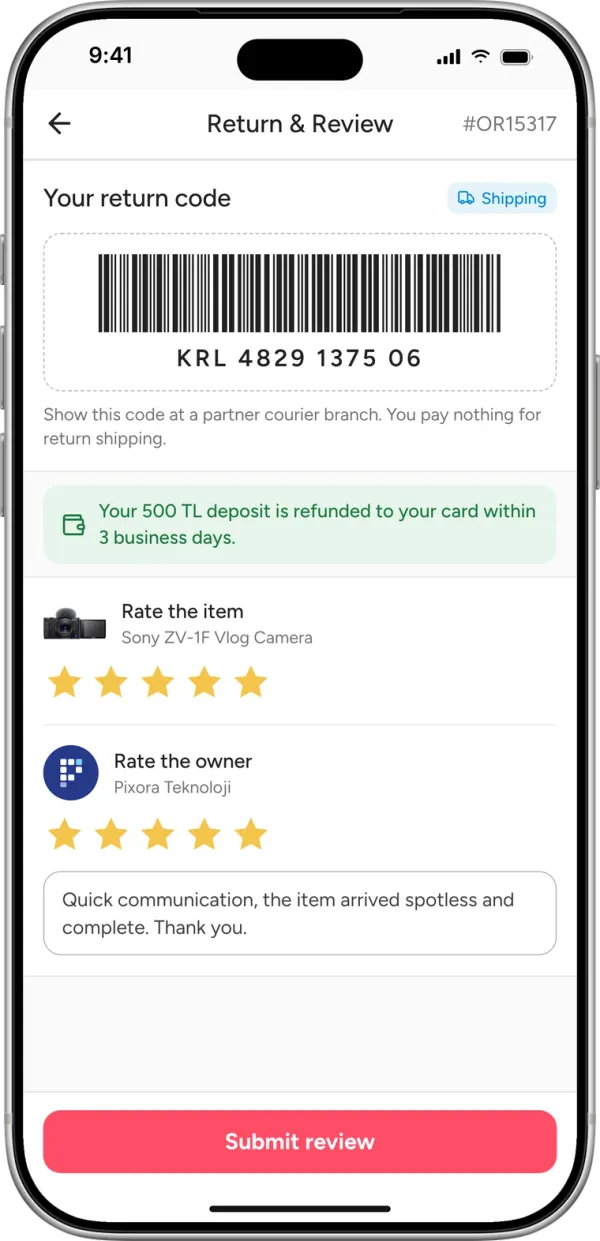
ShippingShip the item with the return code created for you automatically. The moment you hand it to the carrier, the end-of-rental process begins.
Then review the item and the owner. If there's no problem with the returned item, your deposit is refunded within 3 business days after the rental ends.
Step 1 of 8
Rent out your items
Explore every step you'll go through, from listing your items to getting paid.
- 1
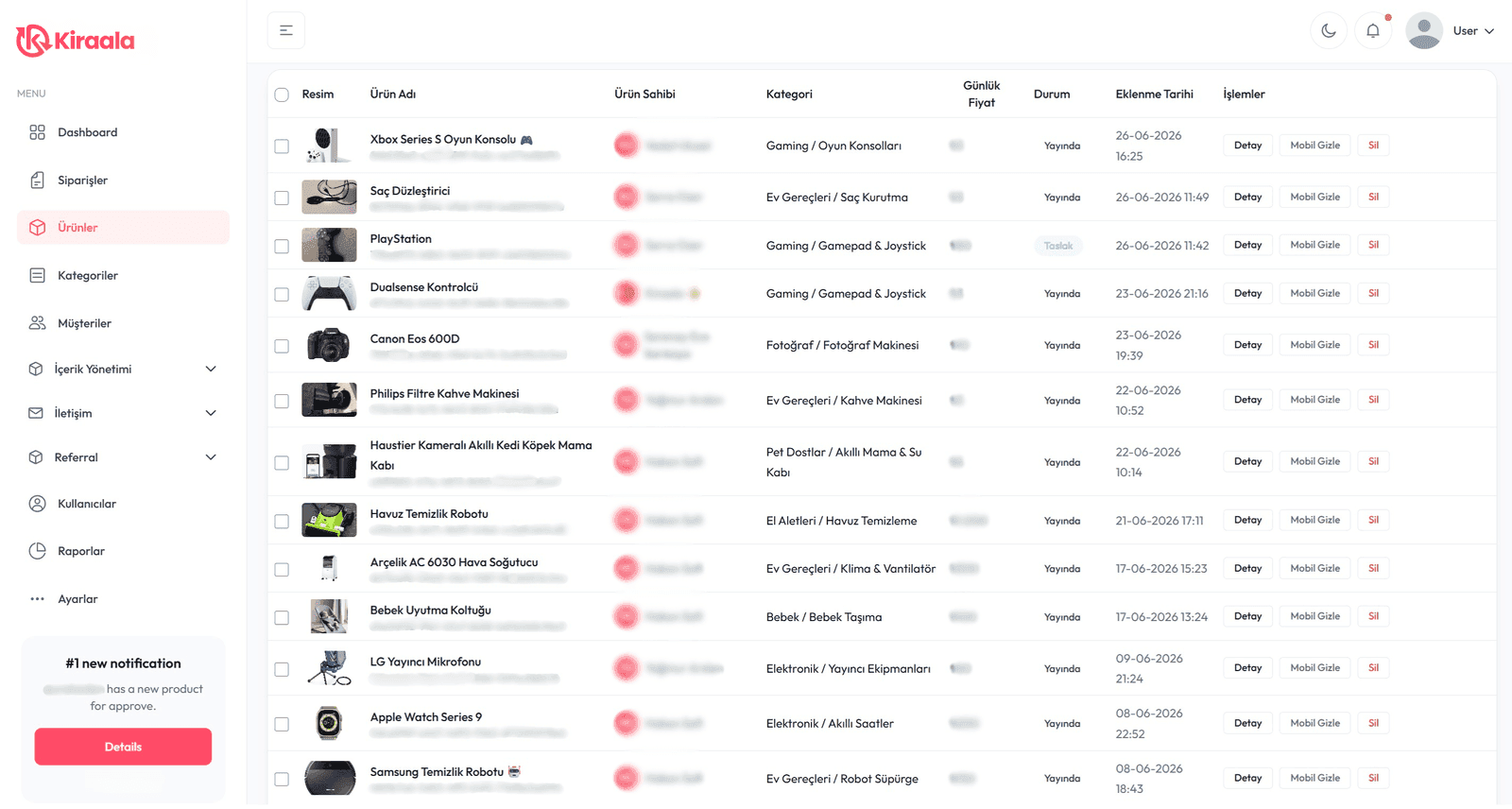
List your items
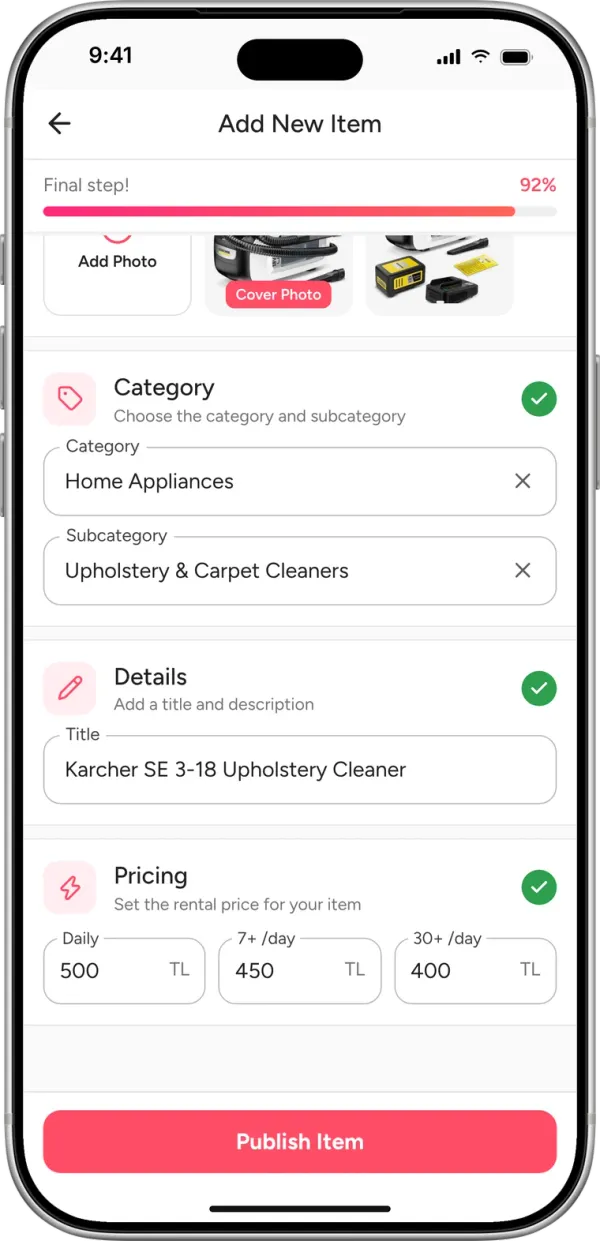
Add your first listing in under a minute. Pick a category and add your own photos, a description and prices. Set a deposit for your item if you like. Choose delivery options: hand delivery, shipping, or both. Send your listing for review and it goes live once approved. Remember, listing as many items as you like is completely free.
- 2
Answer questions about your item
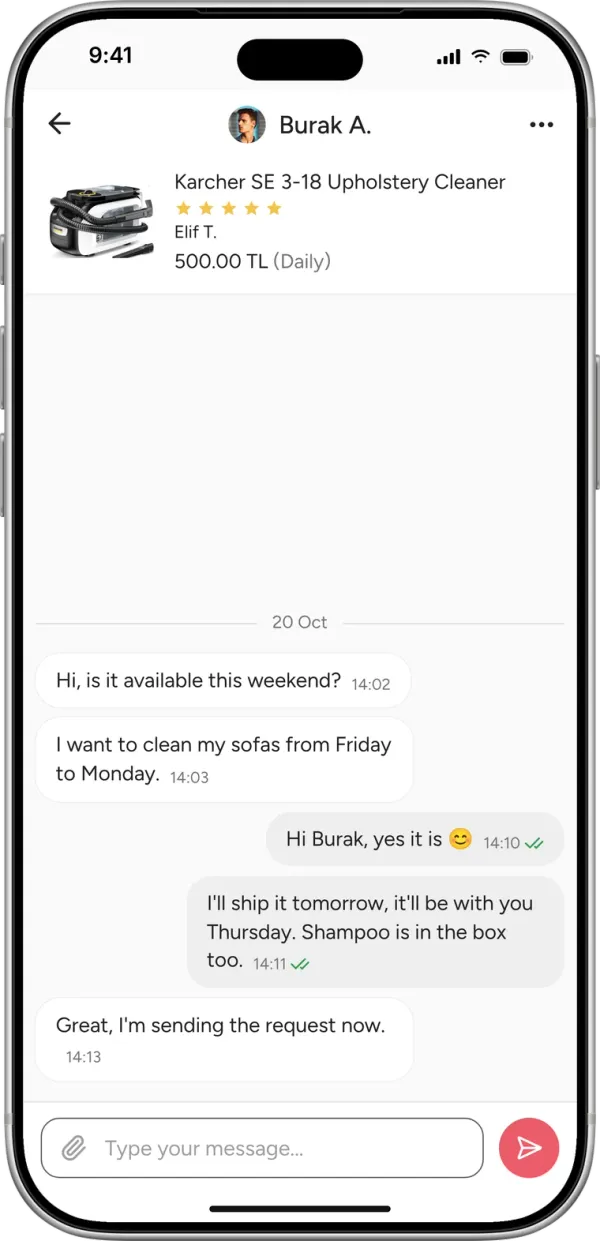
Chat with potential renters in real time. Confirm availability, delivery and return terms.
- 3
Reply to requests quickly
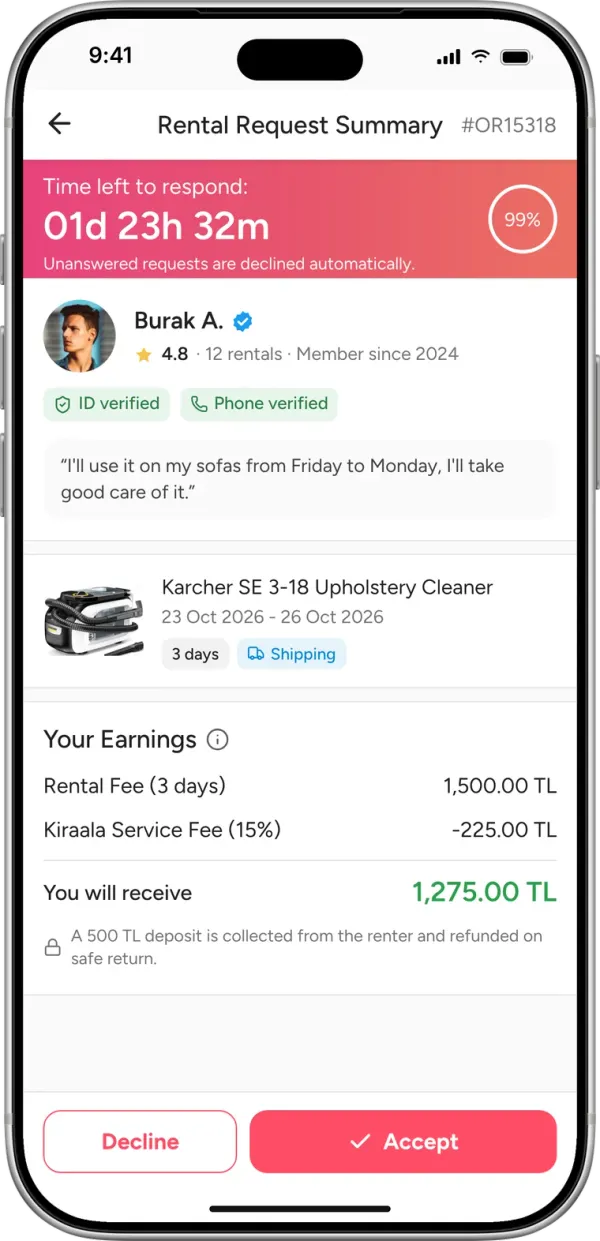
Verified renters who want your item pay through the platform and send a rental request. Review all the financial details of each rental on one screen. Accept or decline. You must reply to every request within 48 hours at the latest. If you don't, the request is cancelled automatically and your Kiraala score drops.
Example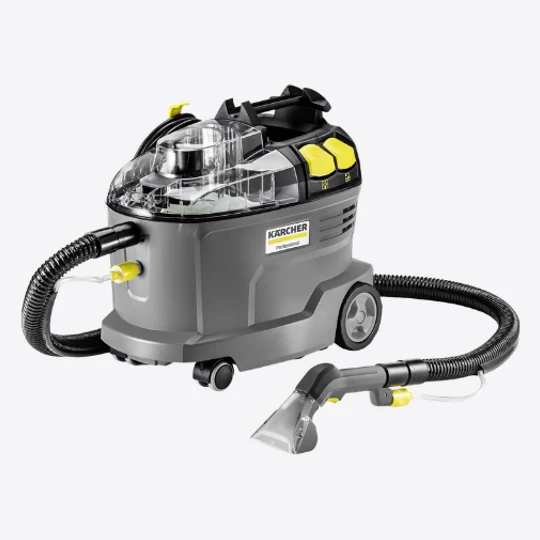
Karcher Puzzi 8/1 Carpet and Upholstery Cleaner
4.8· Renter: Burak A.
₺1,500 / day
23–25 Oct 2026 · 2 days
Hand delivery- Rental (2 days)
- ₺3,000
- Kiraala service fee (15%)
- − ₺450
You earn₺2,550Paid to your IBAN in 3–7 business days
- 4
Hand the item over
Hand deliveryAt the meet-up, show the item, add photos and notes, and start the rental with the QR code.
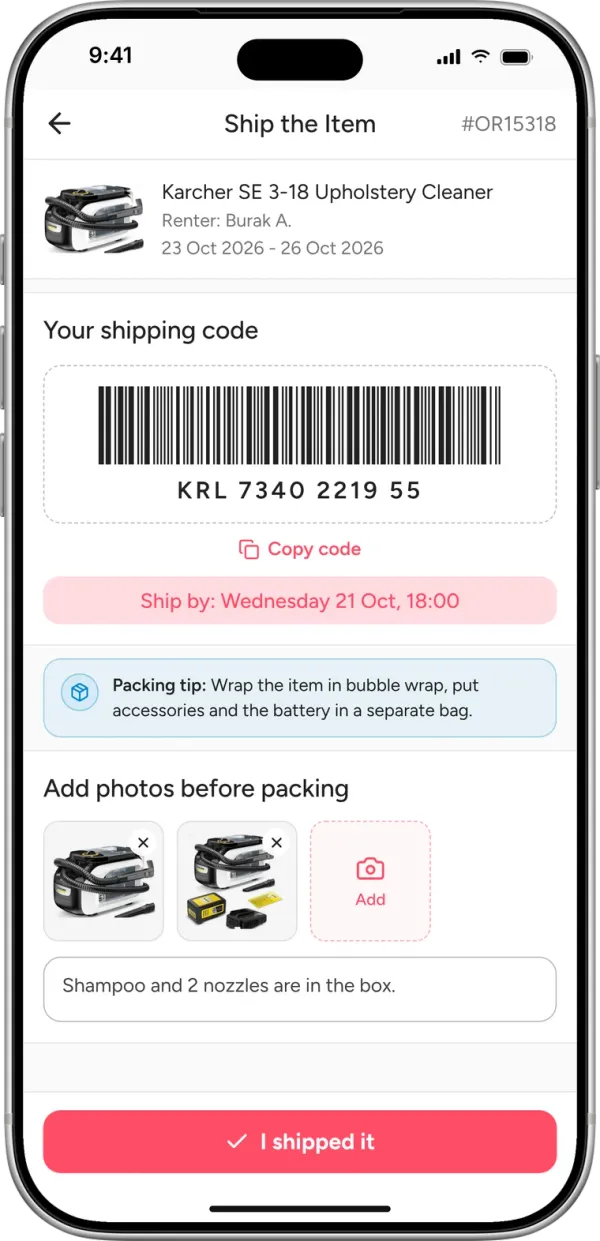
ShippingYour shipping code is created the moment you accept. Pack the item, add photos and notes, and ship it within the buffer period before the rental starts.
If the item isn't shipped on time, the rental is cancelled automatically and the renter gets a full refund.
- 5
Your item is rented
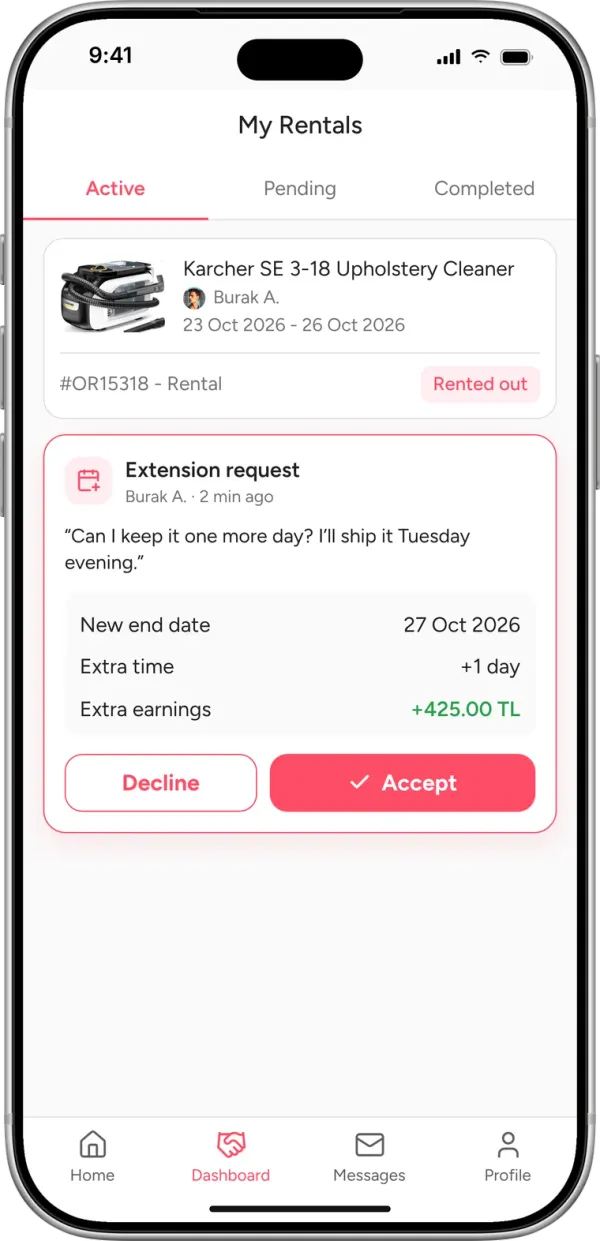
Your renter starts using the item. If they want to extend or buy it, they can send you an offer. Meanwhile, list more items to grow your income.
- 6
Check the item and take it back
Hand deliveryTake the item back, check it and end the rental with the QR code.
ShippingThe item is shipped back to you. Check it when it arrives.
If something's wrong, report it with photos and notes within 12 hours.
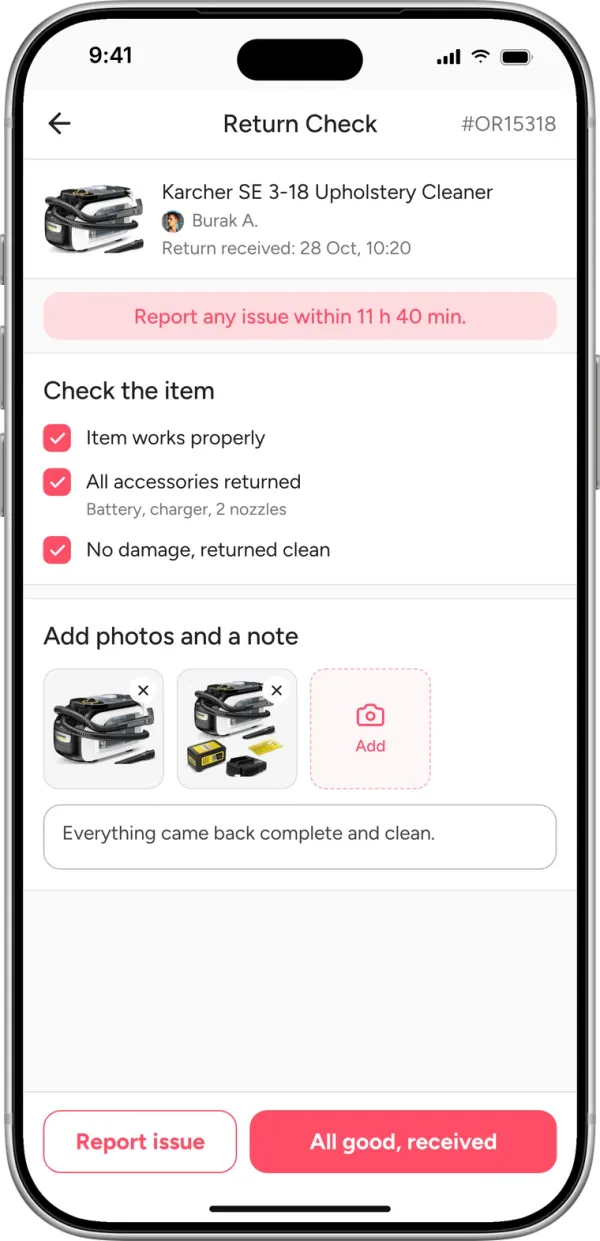
- 7
Enjoy your earnings
Your earnings reach your IBAN within 3–7 business days. Want more people to see your listings? Boost them with Kiraala Vitamin. Leave a review for your renter to help us keep the platform transparent.
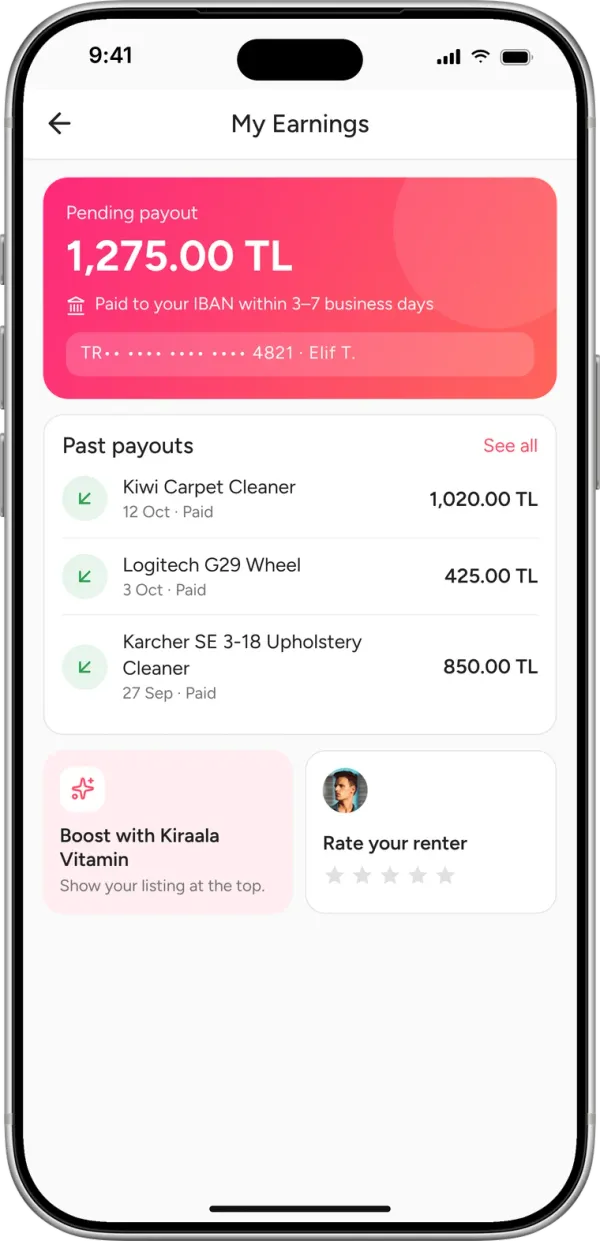
Step 1 of 7
How does the money flow?
- Renter paysWith 3D Secure
- Kiraala holds it safelyYour payment is kept secure
- Rental completesThe item is returned and checked
- Owner gets paidWithin 3–7 business days
How is the deposit handled?
Kiraala holds the deposit separately as security for the duration of the rental. If there are no issues when the rental ends, it's refunded to the renter within 3 business days. In case of damage or a late return, the relevant amount may be transferred to the owner.
Why do I pay a service fee?
To make every rental on Kiraala safe and smooth, we provide verification, secure payments, transaction tracking and support. The service fee keeps this safe rental experience and the platform running sustainably.
You're not on your own
Know upfront what happens in the most common situations.
The owner didn't replyFull refund
After 48 hours the request is cancelled automatically and you get a full refund.
The item is no longer availableFull refund
The owner declines the request and you get a full refund.
The item is faulty or not as describedSupport steps in
Report it with photos and notes within 12 hours of receiving it and our support team steps in.
The item wasn't shippedFull refund
If the owner doesn't ship it on time, the rental is cancelled automatically and you get a full refund.
The return is lateDaily fee charged
For each late day, the amount the owner would have earned is charged to the renter.
The item came back damagedDeposit protection
The owner reports it with photos and notes within 12 hours. Support compares the handover records and, if needed, the deposit is transferred to the owner.
The item was damaged in shippingCarrier damage process
The shipping company's standard damage process applies. Handover photos are used as evidence.
Explore our solutions for businesses
Manage your entire inventory in one place with a business profile and the brand panel.
Partner with us